Setup guide
Set up in about ten minutes.
No stock changes on your listings until you switch it on.
- About ten minutesFrom upload to Preview.
- Preview firstIt changes no stock until you switch to Active.
- No passwordsYou approve on Etsy's and eBay's own sites.
- Logins stay homeKept encrypted in your own WordPress.
Before you start
- WooCommerce 10.4 or newer and PHP 8.1 or newer (8.3 or 8.4 is best). Your host's control panel shows both.
- HTTPS on your site.
- The same SKU on the store product and on its Etsy and eBay listings. That's how items are matched. No SKU, no sync. Missing some? Step 4 covers it.
Known limits
- eBay listings with variations (sizes, colours) are skipped for now. Matches lists them, so you can see which.
- WordPress only runs scheduled jobs when someone visits your site, so a quiet night can delay a sync. Ask your host to run
wp-cron.phpfrom a real cron job, as often as they allow. - Don't turn on Etsy's Developer Mode on your live shop. It's meant for test shops and can hide your listings from search.
Screenshots from a demo store.
- 1
Install
In WordPress: Plugins > Add Plugin (Add New on older WordPress) > Upload Plugin, choose the zip you downloaded from the link in your founder email, then Activate.

WordPress's upload box. Choose the zip, then Install Now. - 2
Licence
WooCommerce > Sold and Synced > Setup. In Have a licence key?, paste your key, add your email, tick the box for the Terms and Privacy Policy, then click Register this site.
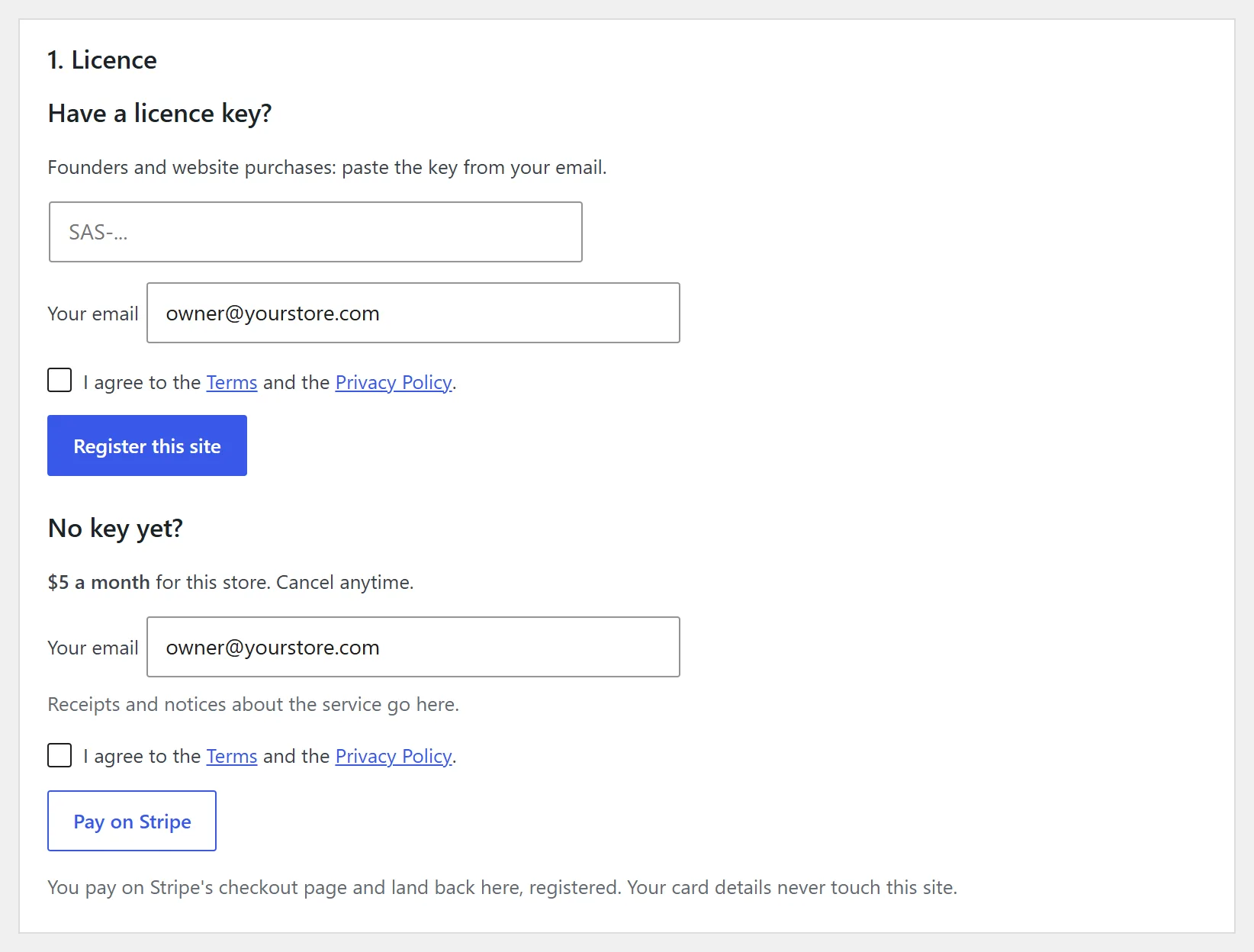
Step 1 on the Setup tab. Your key goes in the top box. TipSign-ups for everyone else open soon.
- 3
Connect eBay and Etsy
Click Connect. You'll see which site you're connecting, then eBay's or Etsy's own sign-in page. Approve, and you land back in WordPress. Your marketplace password never passes through us.
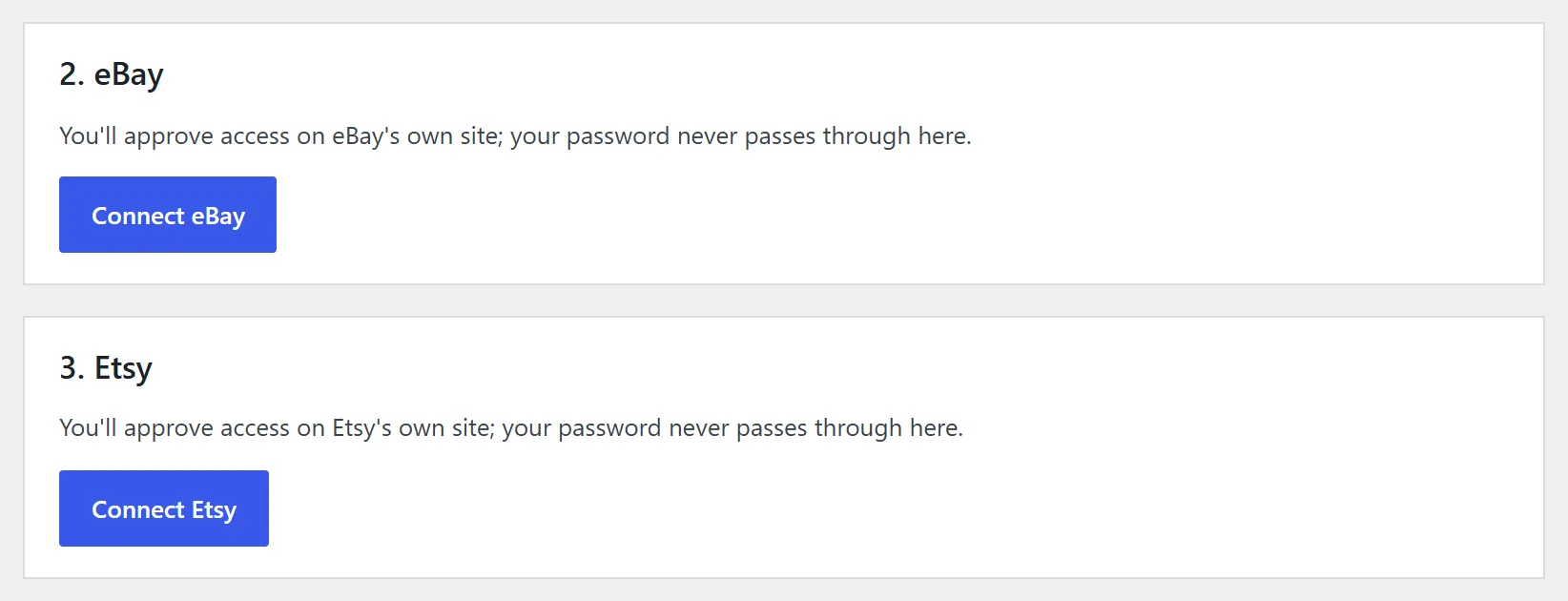
Steps 2 and 3 on the Setup tab, once step 1 is done. 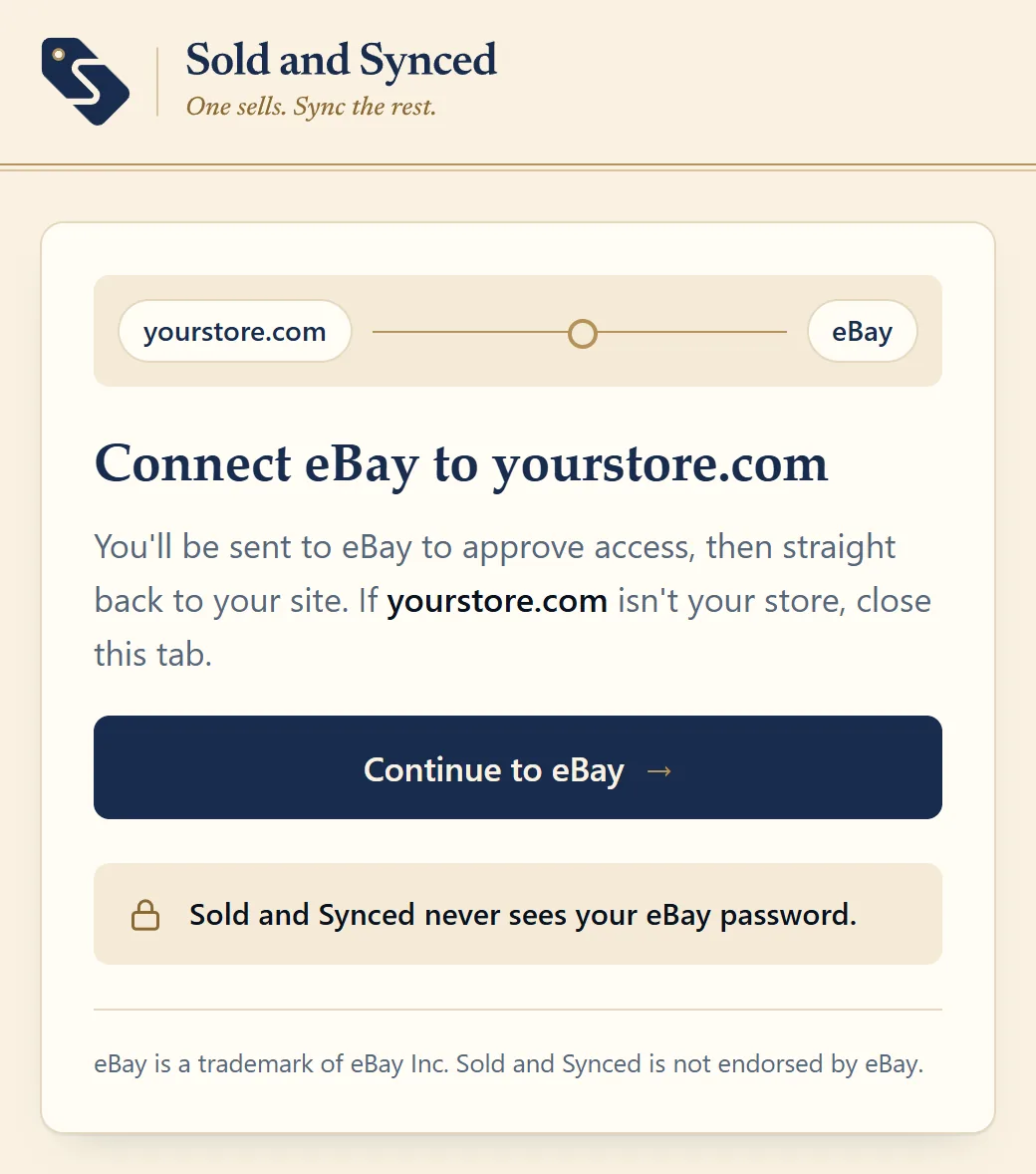
Next comes this page, naming the site you're connecting. Then eBay's own sign-in. If it goes wrongDeclined by mistake? Nothing was changed. Click Connect again.
- 4
Match your listings
Optional. Open Matches, then Suggested: it lists the listings that have the same title on two or more channels but no SKU in common. Check the ones that are the same item and click Link checked items. The SKU is filled in on the listings that lack one. A SKU that's already there is never changed.
Anything left under Not matched you can link yourself: click Pair on a listing, pick the same item on another channel, and both get one SKU.
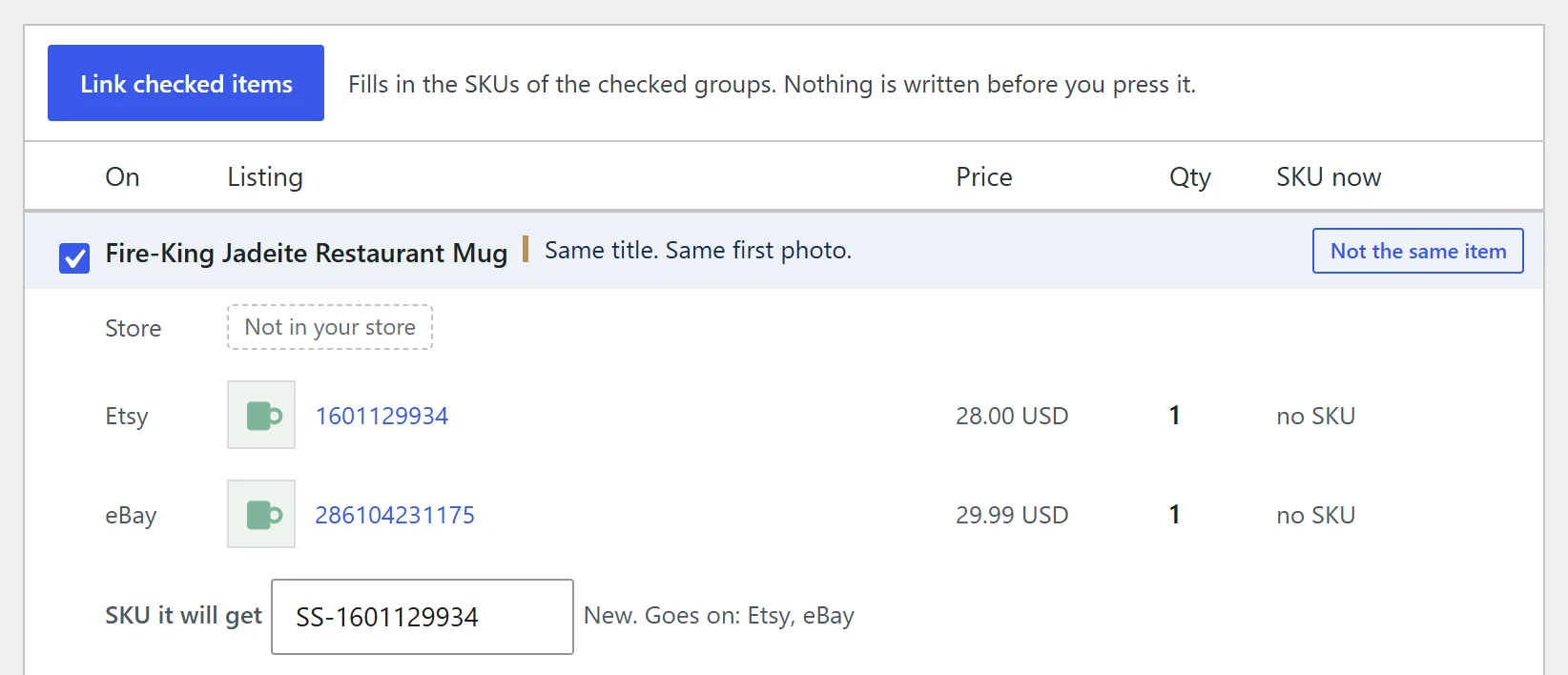
Suggested: a group per item, with the SKU it will get. 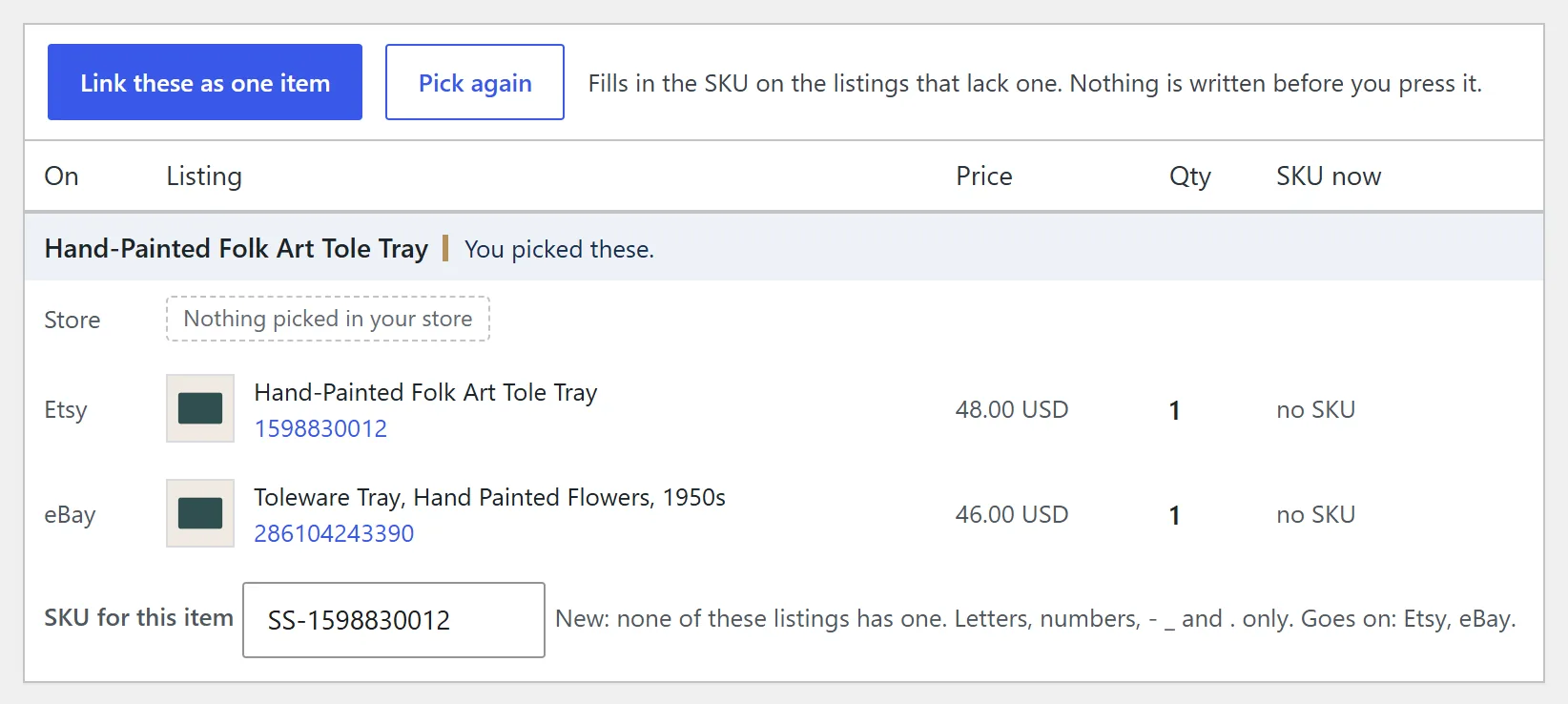
Pair: the listing, the one you picked, and the SKU they'll share. If it goes wrongLinked one by mistake? Take the SKU off that listing on Etsy or eBay. Sold and Synced never removes one.
- 5
Alerts
Check the email address, and optionally add a push URL (an ntfy topic works) so urgent problems reach your phone. Send yourself a test alert.
This step also sets what happens when the last one sells. Setup sums it up under When the last one sells, and Activity says which was done for each sale.
- Store: hidden (set to draft) with stock 0, or kept visible as out of stock. Your pick. A variation is only set out of stock.
- Etsy: the listing is deactivated. On a listing with variations, only that variation is turned off, or the whole listing once none are left.
- eBay: the listing is ended. Or pick Keep it at 0 and turn on eBay's out-of-stock option ("Listings stay active when you're out of stock" in eBay's Selling preferences): the listing stays, hidden from search, with its item number and sales history, until you raise the quantity. Auctions are always ended.
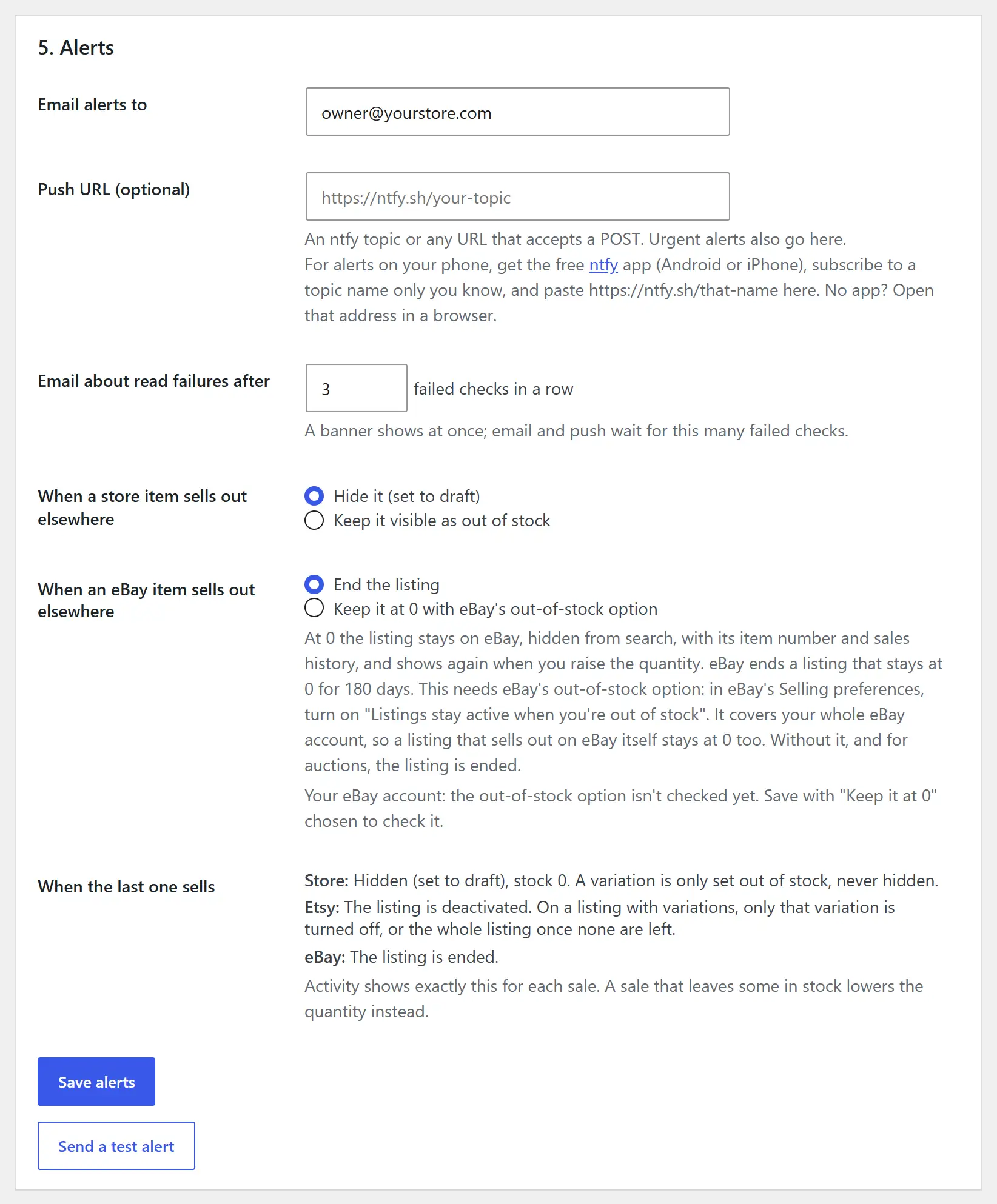
Step 5 on the Setup tab. Send a test alert is at the bottom. - 6
Watch it in Preview
It starts in Preview: every sale is recorded and the Activity tab shows what it would change. Give it a few sales.
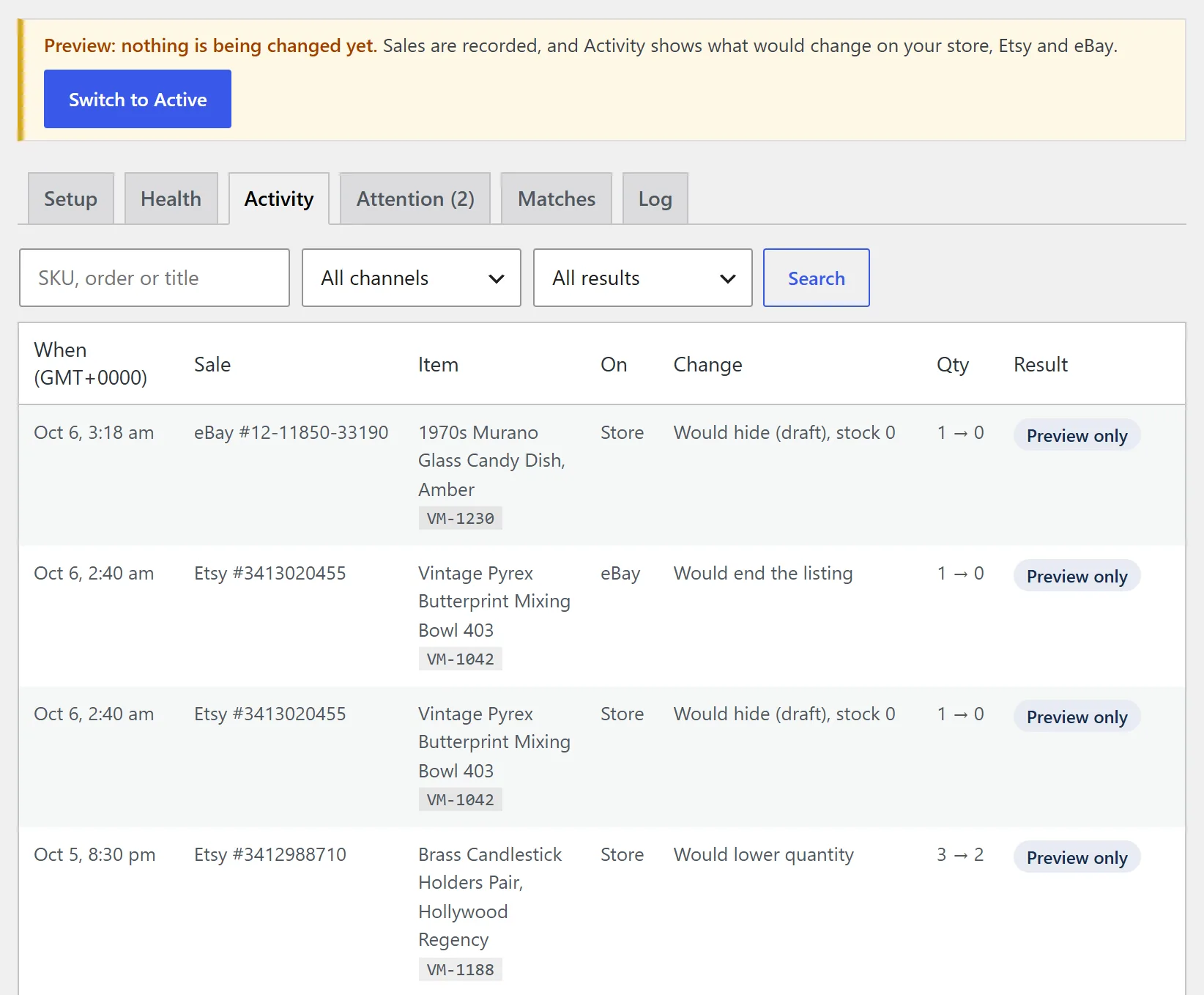
Activity in Preview: each sale, what it would change, and Preview only. - 7
Go Active
When the previews look right, click Switch to Active. From then on a sale changes stock on your other channels.
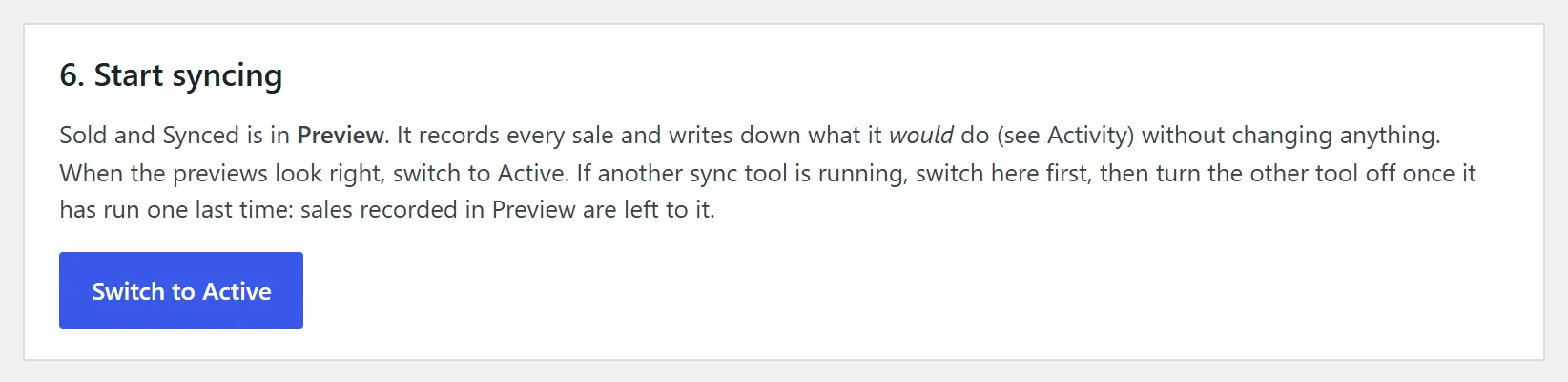
Step 6 on the Setup tab. The same button is in the Preview bar at the top of every tab. Heads upIf another sync tool is running, click Switch to Active first, then turn the other tool off after its next run.
Sold it in person?
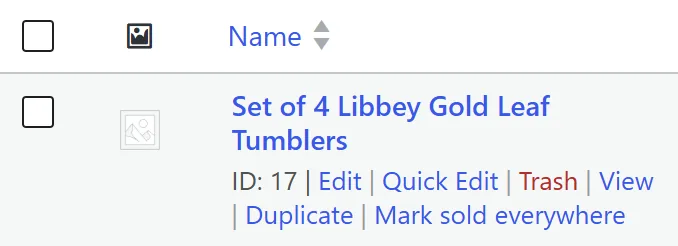
At a show or your booth: on the Products list, hover the item and click Mark sold everywhere.
Stuck?
Email support@soldandsynced.com. Include your site address; never send passwords.
FAQ
Setup questions
Do I need an Etsy or eBay developer account?
No. Click Connect, approve on Etsy's or eBay's own site, and you're done.
What if a listing doesn't have a SKU?
It isn't synced until it has one. Matches lists every listing without a SKU. When one has the same title as a listing on another channel, accept the match and the SKU is filled in for you. If it sells before that, the sale shows up under Attention.
Will it touch my staging site?
No. A copy of your store is recognised and paused, even after its addresses are rewritten, so it never changes your live listings.